A simple backup helper script for Synology NAS that copies a Hyper Backup file or folder from a fixed source path to an external USB-mounted destination, then sends an email notification about the result.
copy2usb.sh
What it does
- Verifies the source backup path exists before attempting to copy.
- Verifies the destination USB mount path exists and is reachable.
- Copies the source to the destination using
cp -rf. - Checks whether the destination copy exists after a successful
cp. - Sends an email notification for success, warning, or failure.
Script functions
send_mail()
This helper function builds a simple email message with headers and body text, then pipes it into /bin/ssmtp.
From: configured byMAIL_FROMTo: configured byMAIL_TOSubject: set according to success or failure stateDate: uses the current date in RFC 2822 format
Configuration
Edit the top of copy2usb.sh to match your environment:
SRC– source file or directory to copyDST– destination directory mounted from the USB driveSMTP– SMTP server address used byssmtp(in this script the variable is defined but not directly used bysend_mail)MAIL_TO– destination email address for notificationsMAIL_FROM– sender email address used in the notification header
Example: configurtion for sSMTP server using the backup script on Synology NAS:
vi /etc/ssmtp/ssmtp.conf
Minimum content for the SMTP gateway without authentication:
SRC="/volume1/data/DS918_1.hbk"
DST="/volumeUSB1/usbshare/"
SMTP="203.0.113.104"
MAIL_TO="hostmaster@example.com"
MAIL_FROM="nas@ds918.local"
Usage
- Testing the sSMTP configuration with email sending can be done with this command.
echo -e "From: nas@ds918.local\nTo: hostmaster@example.com\nSubject: Test\n\nTest von DS918" | /bin/ssmtp hostmaster@example.com
- Make sure the script is executable:
chmod +x copy2usb.sh
- Run the script manually:
./copy2usb.sh
- Optionally schedule it with
cronor Synology Task Scheduler to run regularly.
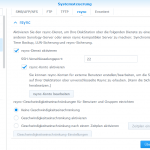
A task is created in the DSM Task Scheduler, Go to Control Panel > Task Scheduler.
Expected behavior
- If the source path does not exist, the script exits with code
1and sends a failure email. - If the destination USB mount is not reachable, it exits with code
2and sends a failure email. - If the copy command returns success but the copied destination is not verifiable, it sends a warning email.
- If the copy succeeds and the destination file or folder exists, it sends a success email.
Requirements
bashcpssmtpconfigured and available at/bin/ssmtp
Notes
- The script currently uses
cp -rf, which overwrites existing files and copies recursively. - The
SMTPvariable is defined for configuration consistency, butsend_mail()relies on the/bin/ssmtpcommand and does not directly use the variable in this version.