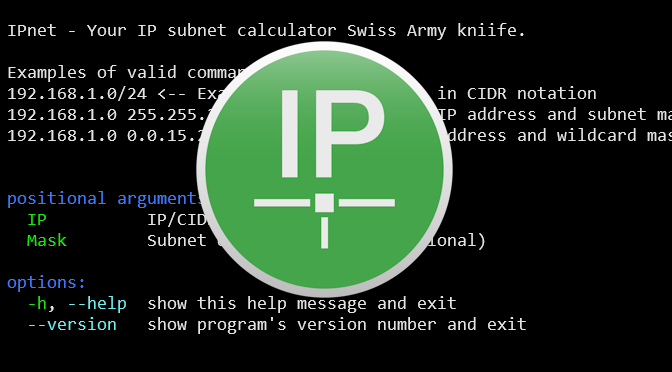
ipnet takes an IP address and netmask and calculates the resulting IP address in subnet and wildcard mask, broadcast, network, IP address in CIDR notation and host range. By giving a second netmask, you can design sub- and supernetworks. It is also intended to be a teaching tool and presents the results as easy-to-understand binary values.
I came across ipnet after having periodically searched for a CLI tool like ipcalc—well-known to Linux users in the shell—as I wanted a similar IP subnet calculator for Windows command-line.
ipnet 203.0.113.0/24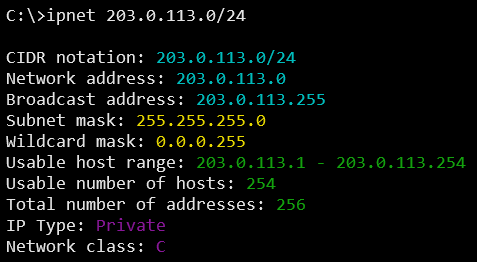
A comparison of ipnet vs ipcalc shows similar in terms of functionality.
ipcalc – An IPv4 Netmask/broadcast/etc calculator
ipcalc takes an IP address and netmask and calculates the resulting
broadcast, network, Cisco wildcard mask, and host range. By giving a
second netmask, you can design sub- and supernetworks. It is also
intended to be a teaching tool and presents the results as
easy-to-understand binary values.
ipcalc 203.0.113.0/24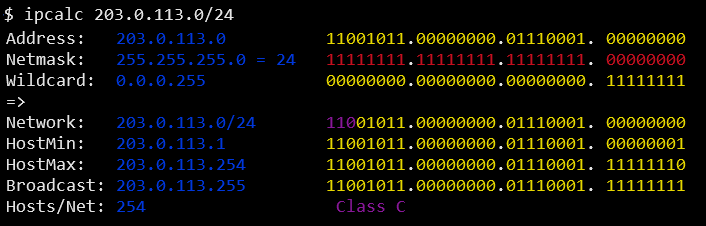
IPnet IP subnet calculator Installation
IPnet is written in Python and requires the runtime environment, which if not already present, is provided as follows in command prompt:
winget install Python.Python.3Then ipnet can be installed on your Windows system using pip.
python -m pip install ipnet coloramaThe binary file is typically located at the following path:
%LOCALAPPDATA%\Programs\Python\Python314\Scripts\Finally, just enter ipnet --help in your command prompt.